
What Is Sketchdoo? Understanding the Core Identity
When most people hear about a new creative platform, they immediately picture a blank white canvas surrounded by complex brush palettes, layer menus, and opacity sliders. While traditional digital art software is fantastic for seasoned illustrators, staring at an empty screen often leaves beginners feeling stuck before they even make their first mark. That is exactly where the Sketchdoo app breaks away from the crowd.
Rather than functioning as a traditional digital sketchbook designed purely for freehand professionals, Sketchdoo is an interactive, guided drawing and creative learning platform. Built to lower the barrier to entry for children, parents, teachers, and aspiring hobbyists, it bridges the gap between wanting to draw and knowing where to place the very first line.
Why Sketchdoo Is Different from a Traditional Digital Sketchbook
A standard sketchbook app hands you tools and expects you to supply the skill. If you struggle with proportions, perspective, or muscle memory, a blank screen only magnifies that frustration. Sketchdoo flips that dynamic by focusing on structured skill acquisition and hands-on practice.
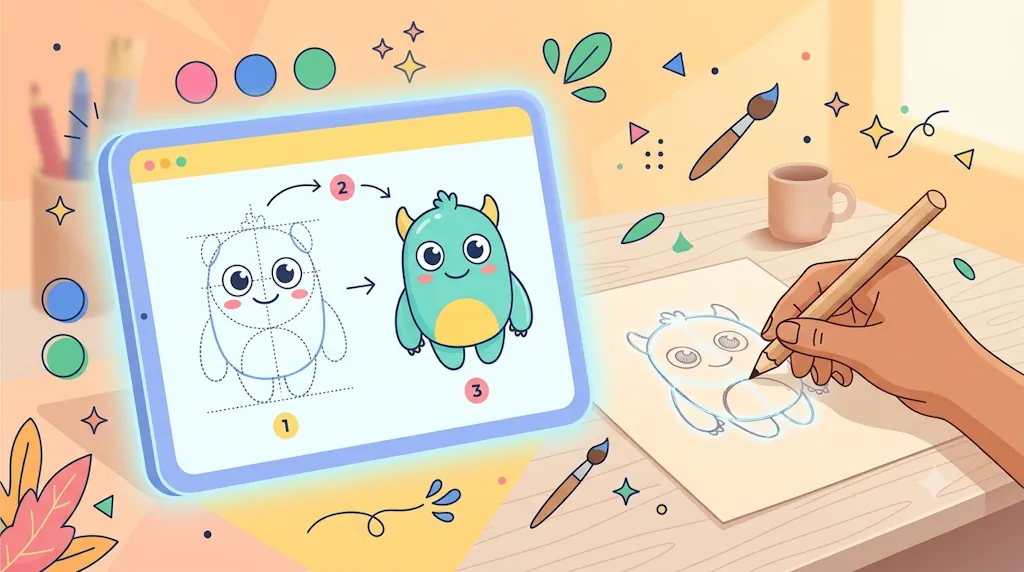
Instead of leaving users alone with an intimidating workspace, the platform breaks complex illustrations into manageable visual stages. Whether someone wants to practice on a tablet screen or transfer their skills directly onto physical paper, the Sketchdoo drawing ecosystem acts as a patient tutor rather than a passive notebook.
Guided Learning Over Blank-Page Intimidation
Learning to draw requires training both your eye and your hand. Sketchdoo supports this process through multiple learning modes tailored to different comfort levels. Beginners can follow structured guides that reveal shapes progressively, helping them understand how simple circles, curves, and angles combine to form recognizable characters and objects.
Key Learning Tools Inside the Sketchdoo Ecosystem
To support real artistic growth across digital and physical mediums, Sketchdoo brings together several specialized tools in one browser-friendly environment.
- Step-by-Step Drawing Guides: Users can explore step-by-step drawing tutorials that break down illustrations into clear, sequential stages, making it easy for beginners to build confidence line by line.
- Screen and Paper Tracing Modes: For learners developing hand-eye coordination, Sketchdoo provides options to trace directly on a device display or use guided trace-on-paper workflows that turn screen outlines into physical pencil practice.
- AR Tracing Technology: With interactive AR tracing tools, learners can project reference outlines onto real sheets of paper using their device camera, bridging digital guidance with traditional pen-and-paper sketching.
- Custom Image Uploads: Want to practice drawing a favorite pet, landscape, or reference photo? Users can upload custom images to trace and transform personal pictures into structured practice templates.
- Interactive Coloring Pages: Understanding color harmony and shading is just as important as line work. Beginners can experiment with palettes using digital coloring pages without worrying about straying outside the lines.
- Flexible Blank Canvas: When learners are ready to test their skills independently, the Sketchdoo blank tracing canvas offers a clean, distraction-free space to sketch freely.
How Beginners, Parents, and Educators Use Sketchdoo
Because Sketchdoo is built around structured progression, it fits naturally into daily learning routines at home and in the classroom.
- Browse for Inspiration: Start by exploring the Sketchdoo drawing library to pick a subject that matches your current skill level, from simple animals to expressive cartoon characters.
- Choose Your Practice Method: Decide whether you want to follow progressive steps on screen, trace outlines directly over your display, or use augmented reality to sketch onto real paper.
- Save and Track Progress: Keep completed exercises and ongoing practice pieces organized inside your personal drawings collection so you can look back at how your line control improves over time.
- Share and Connect: Gain encouragement and fresh ideas by browsing creations shared across the Sketchdoo creative community.
Practical Tips for Getting the Most Out of Sketchdoo
If you are transitioning from passive doodling to intentional practice with the Sketchdoo app, a few simple habits can accelerate your progress:
- Start with Tracing, Then Go Freehand: Trace an illustration once to learn its proportions, then open a blank workspace and try recreating the same subject from memory.
- Mix Digital and Physical Practice: Alternating between screen tracing and paper sketching helps build genuine fine-motor control that transfers to any medium.
- Focus on Shapes First: Pay attention to how tutorials construct basic geometry before adding fine details or color fills.
Start Your Guided Drawing Journey Today
A sketchbook is a place to store ideas once you already know how to draw, whereas Sketchdoo is the training ground that teaches you how to bring those ideas to life. By combining step-by-step instruction, screen and paper tracing, AR projection, and accessible coloring tools, the platform turns artistic curiosity into measurable skill. Visit Sketchdoo.com today, pick a guide from the library, and experience how approachable learning to draw can be.